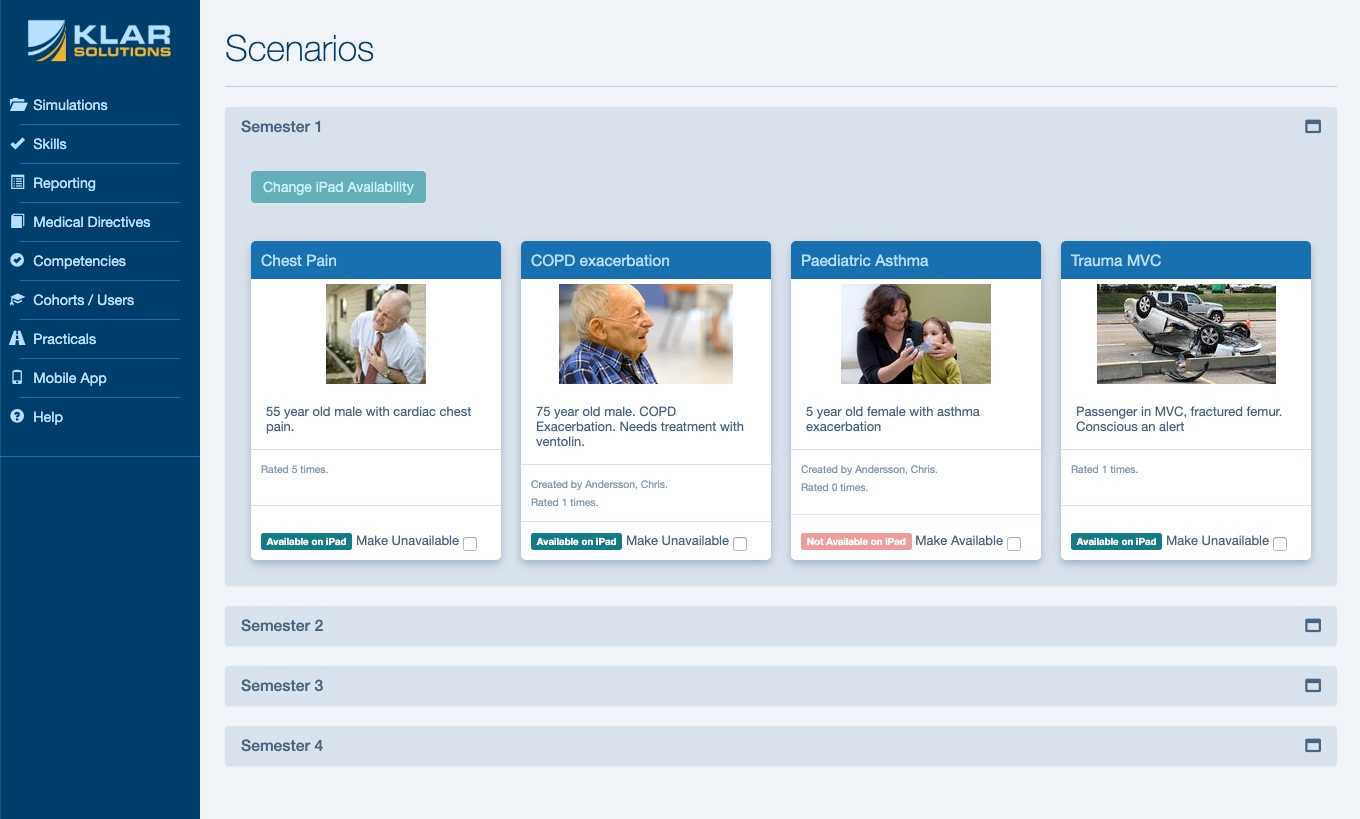
Why scenario banks break down over time
Scattered files, duplicated versions, and inconsistent formats create extra work—and increase the risk of running the wrong scenario at the wrong time.
Generate a scenario draft quickly
Start with an AI-assisted draft, then refine it using your own objectives, local protocols, and teaching style. You stay in control—SimKlar accelerates the first draft and standardizes the output.
One organized, searchable library
Centralize scenarios with tags, categories, and consistent naming—so faculty can find the right case quickly and always access the current version.
Rate on iPads or print PDFs
Export professional PDFs for print, or run scenarios on iPads with offline rating. Supports iSimulate workflows where used—without re-typing results after the fact.
Standard templates + rating anchors
Use consistent scenario structure and built-in rating anchors to improve rater reliability and reduce missed steps during facilitation.
Understand scenario usage and outcomes
Track scenario usage and learner performance patterns so you can identify cases that may need adjustment (too easy, too hard, or misaligned to learning outcomes).
Competency alignment at the scenario level
Associate scenarios to NOCPs and learning objectives so you can plan coverage intentionally—and demonstrate where competencies were practiced.
How it works
Start with a prompt—or build manually
Instructors can generate a structured draft from a short prompt, or build a scenario manually using guided fields. Either way, the result is a consistent, program-ready simulation template.

Edit, organize, and categorize
Review and edit the scenario, attach rating tools and anchors, align it to competencies, then tag and categorize it for easy retrieval. This becomes your program's source of truth.

Deploy however you need
Deliver scenarios as printed PDFs, on iPads for offline rating, or within existing simulation workflows (including iSimulate where applicable). Faculty always access the latest version.